
Public beta
Your printers. Your server.
No cloud needed.
Local-first Prusa Connect is a printer server you run yourself. Download just one file for Linux, Windows, macOS or Raspberry Pi and run it.
- 400printers on a single server
- Offlineby design, no internet needed
- Deploy anywherefrom laptop to server rack
Everything stays on your network
Works without the cloud
Printers connect directly to your server, with no internet connection. The server comes online for the marketplace and update checks, and you can turn both off.
No Prusa Account needed
Users sign in with accounts that exist only on your server, or through your company's identity provider, if you have one.
Your data stays with you
Print history, files and settings are stored on your server. You choose where files go, how long history is kept and how you back it up.
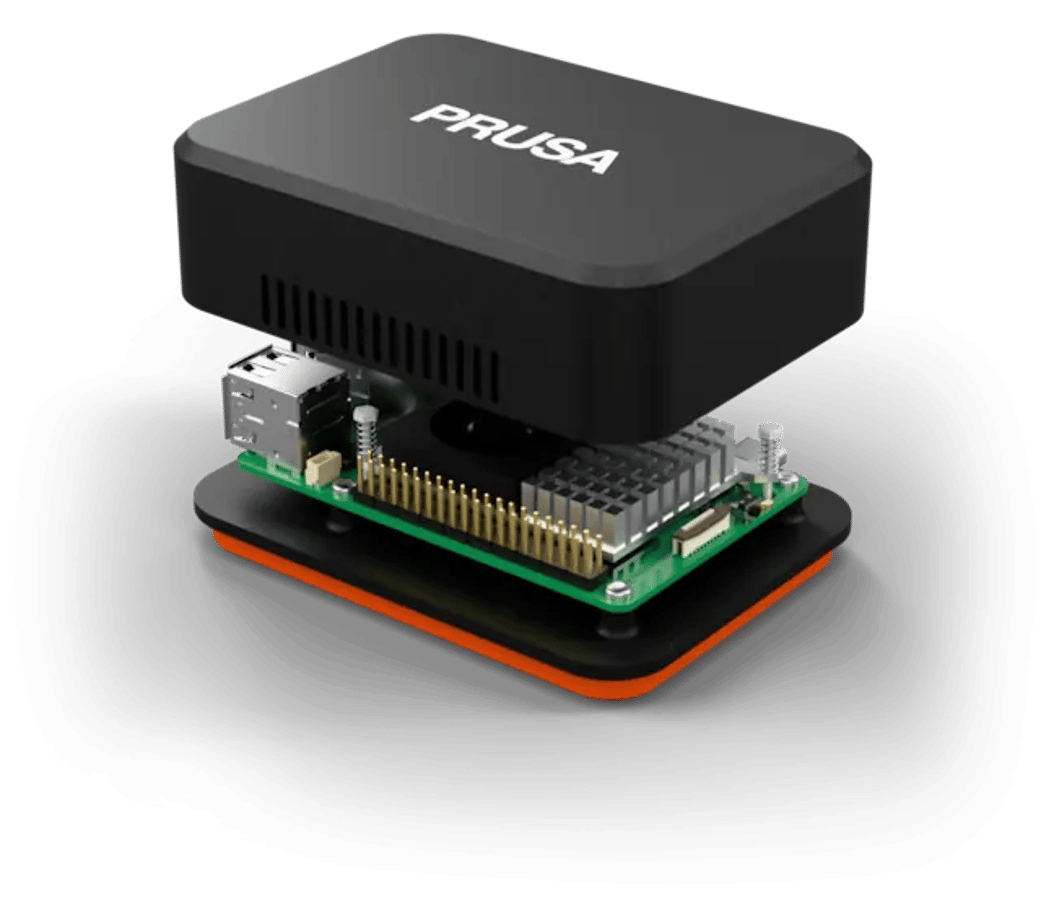
Runs on hardware you may already own
Tested with 400 printers on a single server.
RPi Zero is enough for one printer. RPi 4 or 5 handles a small workshop.

See all your printers at once
State, temperatures and progress of every printer, live, on one screen.
Print from the browser
Upload a G-code file, send it to a printer and start it. Pause, resume or stop a running print.
Share files with your team
Keep print files on the server so everyone can print them. No need to carry USB drives around.
Every print on record
Each job is logged with its file, printing time and result, so you can easily trace any print.
Full user rights management
Assign printers and actions to users or groups. E.g., handling G-codes and firmware updates may need explicit permission.
Plug it into your tools
Connect your scripts, dashboards, and Home Assistant via REST API, MQTT, webhooks, or live events.
Works with your Prusa printers
Prusa printers need firmware 6.4.0 or newer. Klipper printers connect through Moonraker with the example driver from the repository. For any other printer, see the guides below on how to write your own driver.






Create & share your own extensions
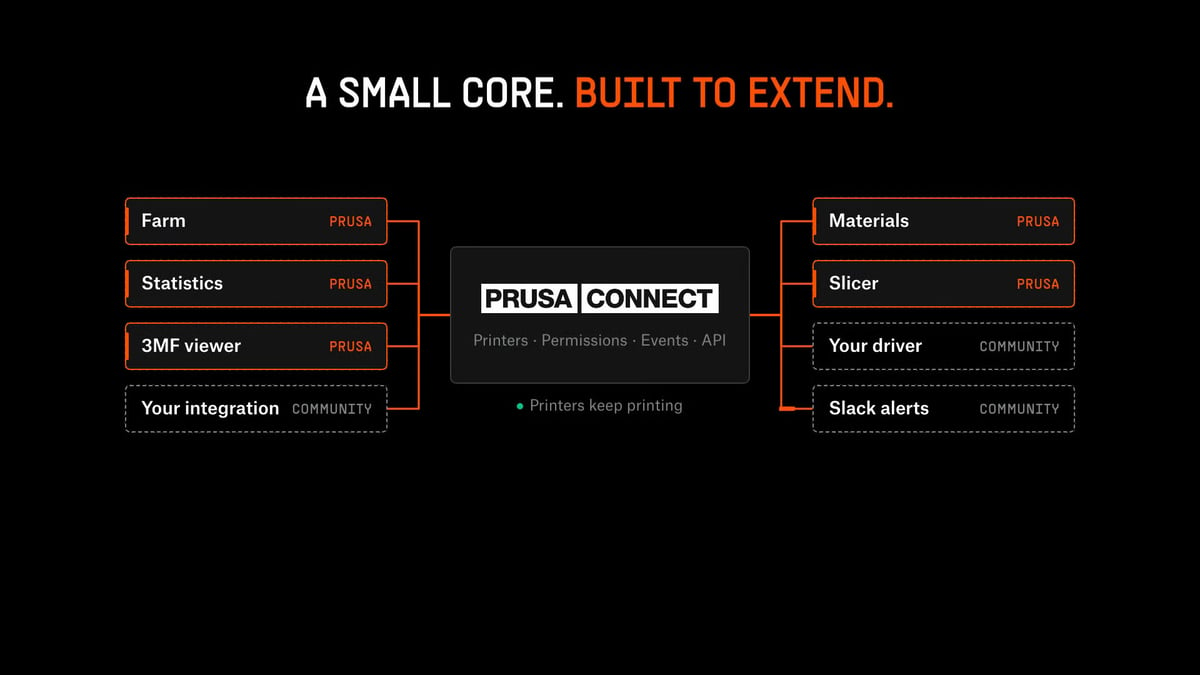
The application core stays small and modular, with new features added as extensions from the built-in marketplace. Each one shows which permissions it needs before you download it. You can easily create your own extensions, e.g., using AI agents.
Extension examples
Fleet statistics
Success rate, print hours and utilization shown as cards on your dashboard.
Materials
The OpenPrintTag filament catalog and the spools on your shelf.
Server slicing
Slice 3MF projects on the server with PrusaSlicer.
Home Assistant
Your printers as Home Assistant devices, installed through HACS.
Set up in three steps
Pick the file for your computer from the latest release on GitHub.
Run the file and open http://<your computer's IP>:8080 in a browser. Then, you will configure your installation in a few easy steps
Download the settings file from the "Add a printer" page in the web application, copy it to a USB drive and load it on the printer in Settings → Network → Prusa Connect. Then approve the code the printer shows. You can use the same USB on all your compatible printers.
The entire code is on Github
The source code of Prusa Connect Local is on GitHub under the Open Community License. Check what runs on your network, change what you need, and send us a pull request.
Interested in using it in your business? Get in touch with us.
Use it at home or at school
free for any non-commercial purpose
Run it in your company
free up to €1 million annual revenue
Modify it under the OCL
changes you share stay under the same license
Local or cloud?
A printer connects to one of them at a time. To switch, load the other settings file on the printer.
| Prusa Connect Local | Prusa Connect | |
|---|---|---|
| Runs on | Your own hardware | Prusa servers |
| Sign-in | Accounts on your server | Prusa Account |
| Internet | Not needed | Needed |
| Access from outside your network | Through your own VPN | From anywhere |
| Your data | On your server | In the Prusa cloud |